
Free project management template
Free Construction Project Schedule template.
Build a straightforward schedule your team can update at the weekly meeting. Set planned dates, name an owner, and record dependencies before work starts.
Download free Excel templateExcel (.xlsx). Blank template and worked example. No email or account required.
See the worked example
The download includes this example and a blank copy. All example project details are fictional.
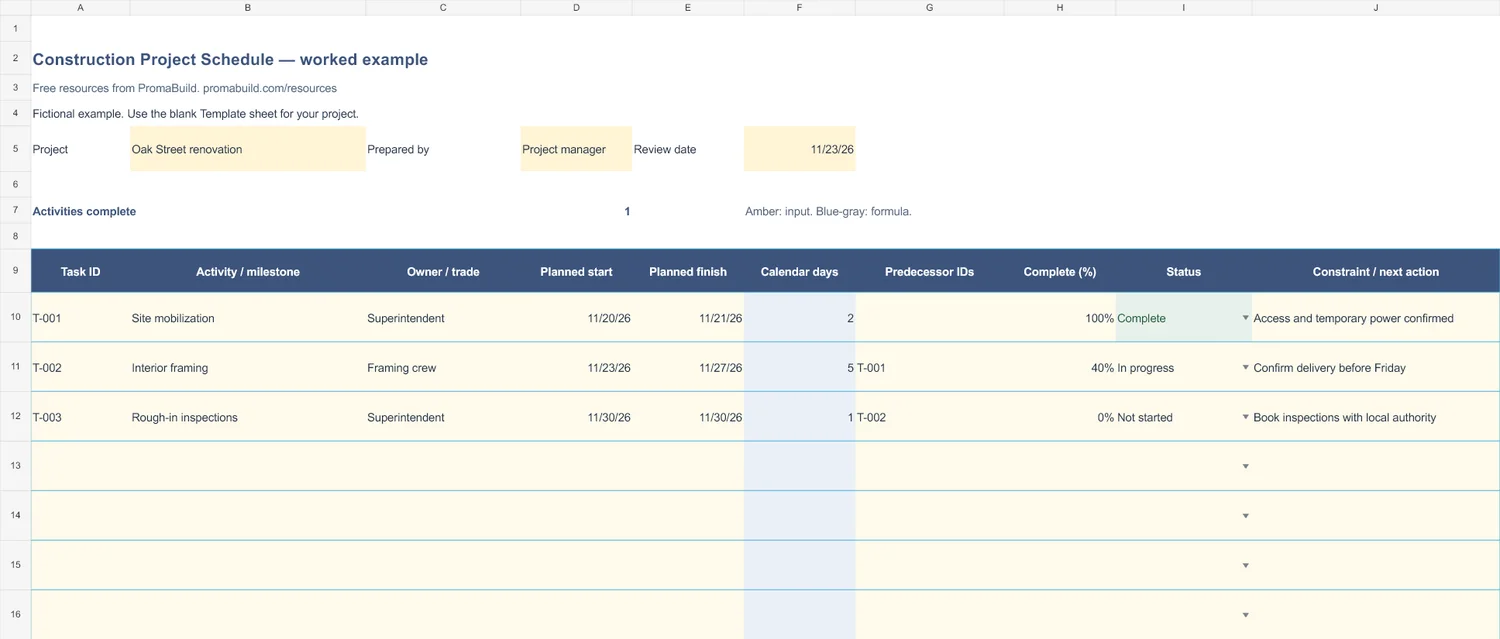
Select the preview to open the larger image.
How to use it
- Enter the project and review date. Use one row per activity or milestone.
- Enter planned start and finish dates. Duration counts calendar days, including both dates. Same-day milestones count as one day.
- Update percent complete and status at each review. Dependencies are recorded for coordination; this workbook does not automatically reschedule tasks.
Review dates with the responsible trades. This is an activity schedule, not a critical-path scheduling engine. Holidays and working-day calendars are not calculated.
The workbook has 30 prepared rows. For longer logs, add rows inside the Excel table, copy any formula cells, and extend the summary ranges to include them.
Fields in the template
- Task ID
- Activity / milestone
- Owner / trade
- Planned start
- Planned finish
- Calendar days
- Predecessor IDs
- Complete (%)
- Status
- Constraint / next action
Ready to keep the whole job together?
Use these templates for your current process. When you need a shared project workspace, explore PromaBuild Pro and Partner for construction project management and AI.
These downloads are free. Pro and Partner are paid plans. The Free account does not include project management or AI.
Use it with
Daily site report
Record daily site activity, crew hours, progress, deliveries, and issues in a free Excel construction daily report.
Submittal log
Track construction submittals, revisions, reviewer responses, required-on-site dates, and procurement actions in a free Excel submittal log.
Weekly progress report
Share construction progress, next-week work, risks, and decisions needed with a free Excel weekly progress report template.